Print a size reference you can keep beside your cases.
Print at 100%, then check the scale
- Choose the PDF that matches the paper loaded in your printer.
- Select Actual size / 100%. Turn off Fit to page and automatic scaling.
- Measure the horizontal calibration line with a real ruler: it must be 100 mm. The vertical check must be 50 mm.
- If either line is wrong, correct the print settings before using any circles or ruler marks.
Read a diameter without squeezing the wrapper
Compare the cigar’s flat end against the printed circle centerline. Circle labels cover 34, 38, 42, 46, 48, 50, 52, 54, 56, 58, 60 and 64 ring gauge, with calculated millimeter diameters. This is a visual comparison card, not a punched-hole gauge: do not force a cigar into a cut-out paper hole.
The lower ruler measures lengths up to 180 mm. For longer cigars, use a full-length ruler. A box-pressed or irregular cigar needs its widest measured cross-section rather than a circle-based guess.
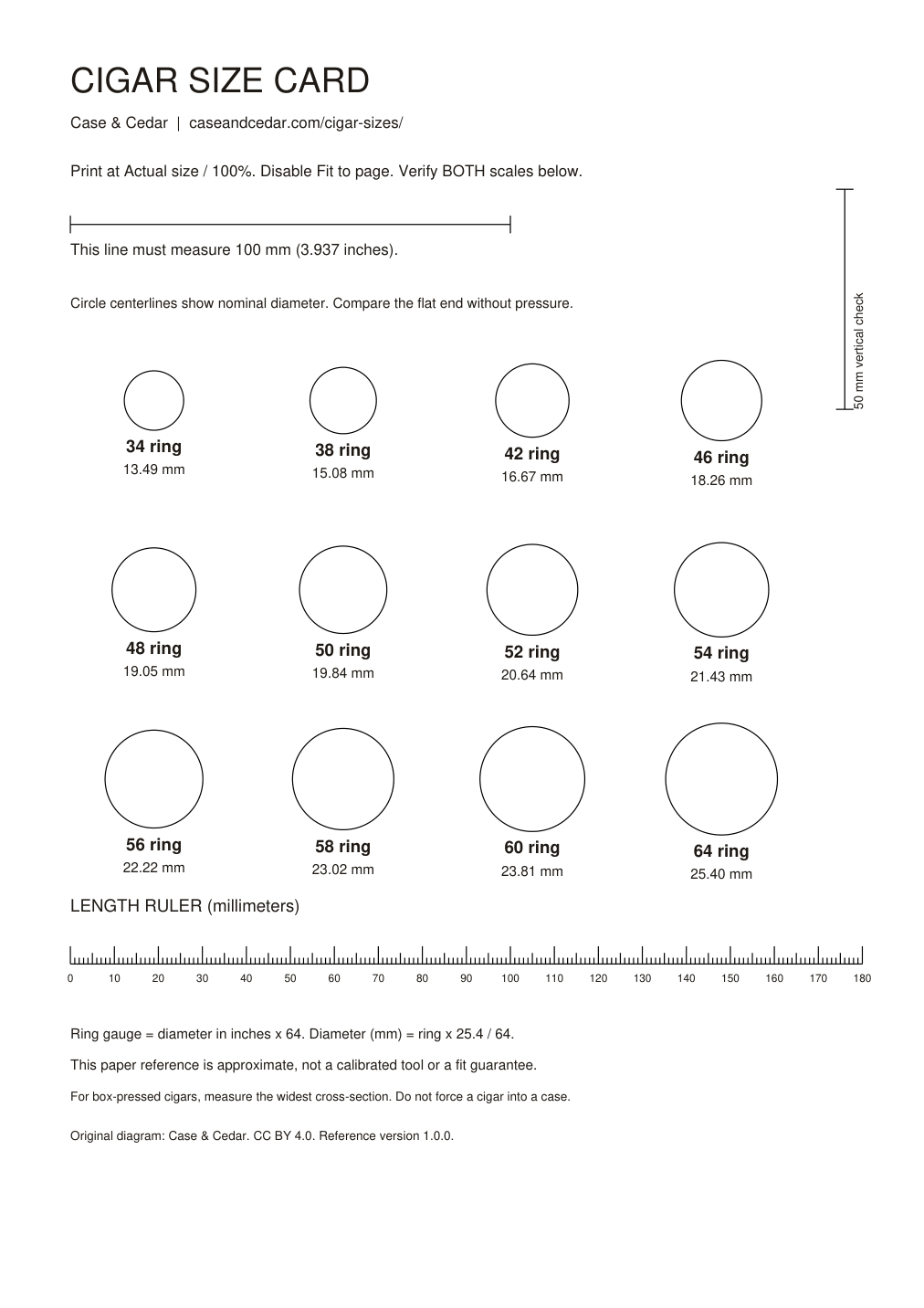
Screen preview is not actual size. Browser zoom, phone scaling and image downloads can change its dimensions; use one of the PDFs and the calibration marks for printing.
Turn the measurement into a case shortlist
Enter the length and ring gauge in the case finder. It compares supplied interior measurements and labels missing dimensions instead of guessing. The ring gauge converter also accepts a diameter in millimeters.
Reuse
Original diagram by Case & Cedar, available under CC BY 4.0. Keep the scale marks and link to this page. A paper card is approximate; it does not establish manufacturing tolerances or guarantee case fit.